BlogIt Release 1.6.0

On schedule this time, 4 weeks after the last release, Blogit 1.6.0 is ready, and brings the ability to run custom code pre/post BlogIt events, easy RSS configuration, and finally a fix to a sporadic but elusive problem where blog dates would randomize (thank PHP strtotime for that one).

Huge thanks this time goes out to OtherMichael who worked through a pretty long debug cycle to narrow down the date-randomization issue. Also to SteP for his usual bug-catching ability, and to Ricardo. Thanks guys.

Check out the PmWiki BlogIt project page for a full list of changes, and installation information.

Green Marinee: PmWiki skin conversion

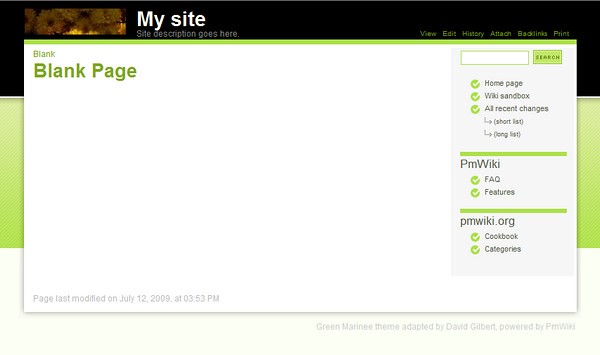
The Green Marinee skin has been around for years. So long ago that the author, Ian Main, no longer has a presence on the web. The theme doesn't have as much white space as most modern skins, but it's a great layout.


PHP strtotime assumptions with European and American date formats

PHP date functions really are the ultimate gift that keeps on giving. The primary problem with them is a grandiose assumption that date formats are going to be American format. There is typically no mechanism to indicate alternate format. At minimum a simple parameter would work Eu/US/ISO; clearly things are not that simple in real life, and so a more sophisticated solution should be encouraged, but to continue to assume that your developer audience is US-centric is a little ostrich-like.

BlogIt has had a persistent, but sporadic problem almost since day one, where saving a blog entry would cause the date to be stored wildly incorrectly. So "11-08-2010" would get stored as "30-Jan-2017". I spent the better 10 hours working with someone who was having a problem with BlogIt, only to discover an hidden assumption in strtotime.
Read more...

Glossy Hue: PmWiki skin conversion

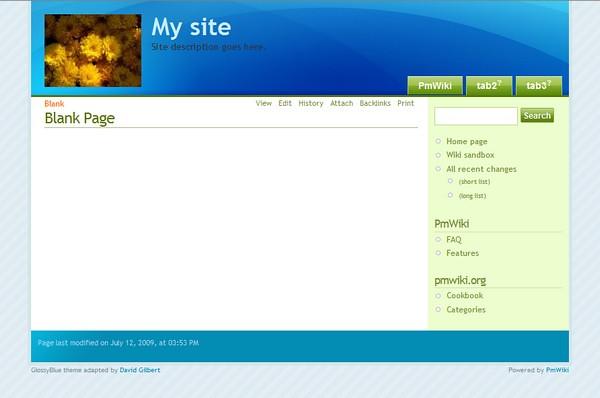
This is another very early PmWiki skin conversion. And one which has stuck with me. I've used it on my personal blog for years now. It doesn't have any fancy features, just a main section, and a right column, basic blog design. But for me it gels nicely together in an informal airy way.

Skidoo: PmWiki note-taking skin

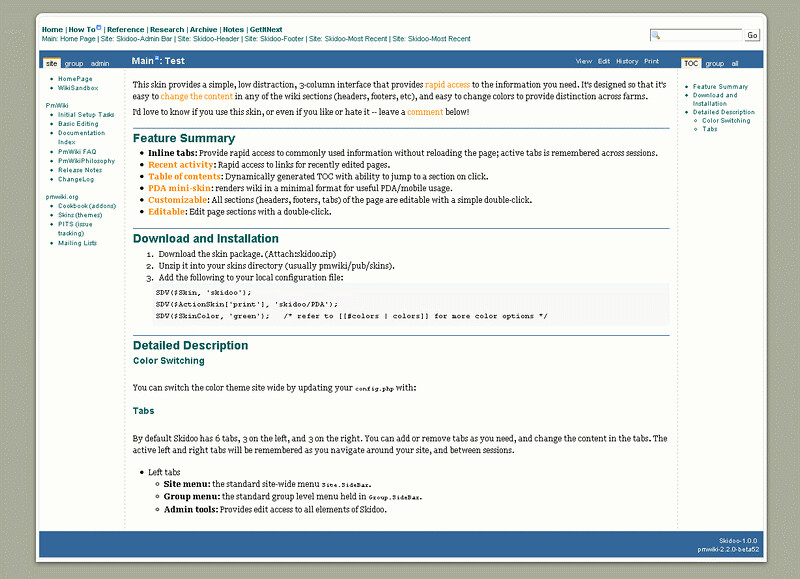
Skidoo was my first PmWiki skin. I designed it from scratch, specifically for note taking. I use PmWiki to capture all my work and personal notes, and wanted something that provided quick access to recent pages, projects lists, table-of-contents, and most importantly quick access to the pages used on side-bars, headers, footers, etc.

Skiddo has all that. You can quickly edit all the main page elements, to add new links. It also has tabs in the left and right columns which provide access to various pages lists, for recent edits. Not especially pretty, but very functional.

Colorimetry: PmWiki skin conversion

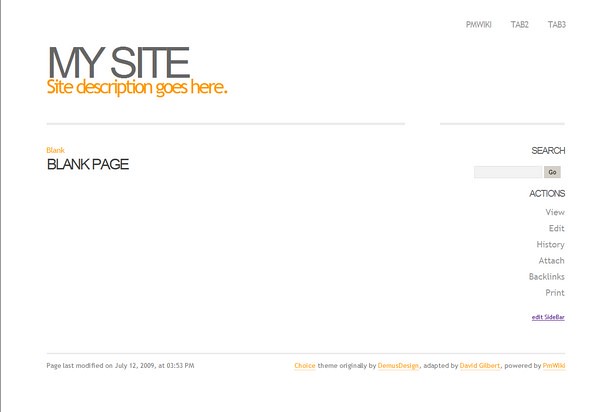
I'm never quite sure how to categorize Colorimetry; it not quite formal enough to be business lie, but a little too formal to be used for a personal blog. It is pretty flexible though, and is a good base for adapting. Nice elements, are the top tab links, and the left bar header highlights.

Skittlish: PmWiki skin conversion

Skittlish is one of my early skin conversions, and one which I used for a while on my tech blog. It's got a good range of bright color themes which can be selected by the viewer from a theme picker on the page, and a cool font-resizing widget built in. One of my favorites.

PHP isDate, checks for valid date, redux 3

I just can't leave well enough alone. This third iteration of the PHP isDate function is a little more concise, and makes changing acceptable formats a little easier. The function signature stays the same, accepting a date, and the expected format of the date, using PHP date expressions.

#accepts a date, and a date format (not a regular expression)
function isDate($d, $f='%d-%m-%Y %H:%M'){
	$dateFmtRE = array(
		'/\//' => '\/',
		'/%d|%e/' => '(0?[1-9]|[12][0-9]|3[01])',
		'/%m/' => '(0?[1-9]|1[012])',
		'/%g|%G|%y|%Y/' => '(19\d\d|20\d\d)',
		'/%H|%I|%l/' => '([0-1]?\d|2[0-3])',
		'/%M/' => '([0-5]\d)');
	if (empty($d))  return true;

	#convert Unix timestamp to a std format (must not include regular expressions)
	if (preg_match('!\d{5,}!', $d))
		$d = strftime($f, $d);

	return (
		#does %d match the regular expression version of $f? if it does m/d/y are in $x
		preg_match('!^' .preg_replace(array_keys($dateFmtRE), array_values($dateFmtRE),$f) .'$!', $d, $x)
		&& (checkdate($x[2], $x[1], $x[3]) || checkdate($x[1], $x[2], $x[3]) || checkdate($x[3], $x[1], $x[2]))
		?true :false);
}

Web Hosting at A Small Orange

Looking for web hosting can be a real pain. Basically you have 10 or so really huge players, who claim to offer no limits on storage and bandwidth, which means every server is just poised to explode as everyone dumps all their crap on there. And then you have literally thousands of small timers, with questionable ability to support their users over the long-haul.

Years back when I was host-hunting I came across A Small Orange, and have been with them ever since. They have been consistently excellent. The only limits on accounts are the physical limits on disk space, and bandwidth. This is actually a good thing, as it means your server is much more likely not to get over burdened by an errant tenant. There are no other limits. Have as many email addresses, domains, sub-domains, databases, and whatever else you can think of, including full command line (SSH) access. As long as you stay within the disk and bandwidth limits.

The best feature is the active forum community, who are usually very willing to help out; and the user support, which is typically extremely fast.

So, it you're looking for a host, sign up at A Small Orange, and make use of either of these coupons: sg5 for $5-off (best on orders under $33), or sg15 for a 15% discount (best on orders over $33).

Migrate from Subversion to GIT on Windows

There's a lot of information describing how to migrate from Subversion to GIT, but very little which describes the process under Windows. In particular most references assume that you can reference the Subversion repository using file:// which is currently not the case. You need to access the Subversion repository using the svn:// protocol.

The instructions below assume you're using TortoiseSVN, but the process should be basically the same if you are not.
Read more...